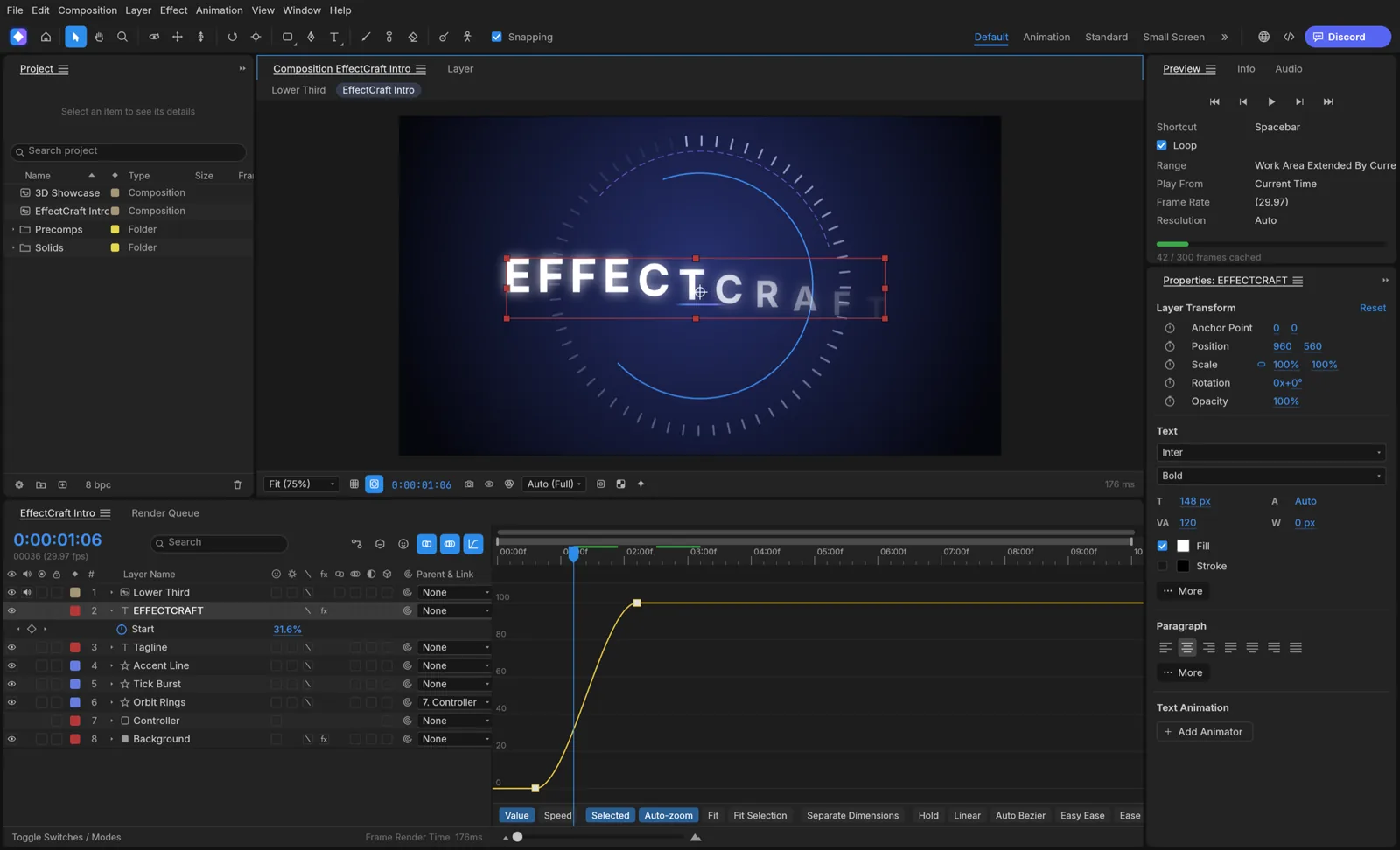
Animate Text and Shapes
Put text and shapes into a composition, set keyframes, and refine movement with the timeline or graph editor.
FREE · OPEN SOURCE · IN DEVELOPMENT (ALPHA) · WINDOWS / MACOS / LINUX
A free, open-source motion editor for first animations and new projects. Compare its current tools with After Effects before planning an Adobe handoff.
EffectCraft editor interface · Official project screenshot
| What matters | EffectCraft | Adobe After Effects |
|---|---|---|
| Cost | Free | Paid subscription; varies by plan and region |
| Source code | Open source | Proprietary |
| Compositions and layers | Text, shapes, footage, nested comps and common controls documented | Mature production workflow |
| Animation | Keyframes, easing and graph editing documented | Mature animation and plug-in ecosystem |
| Effects and 3D | Effects, cameras and lights documented; fidelity depends on task | Established effects and 3D workflows |
| Native project file | Editable .ecproj | Native .aep / .aepx |
| Existing .aep projects | Cannot open .aep or .aepx projects | Native opening and saving |
| Best fit | Learning, testing and new motion projects | Existing Adobe projects and production handoff |
EffectCraft is suited to a new motion project or first animation. It does not open .aep/.aepx projects or run After Effects plug-ins, so existing Adobe projects and plug-in workflows stay in After Effects.
Put text and shapes into a composition, set keyframes, and refine movement with the timeline or graph editor.
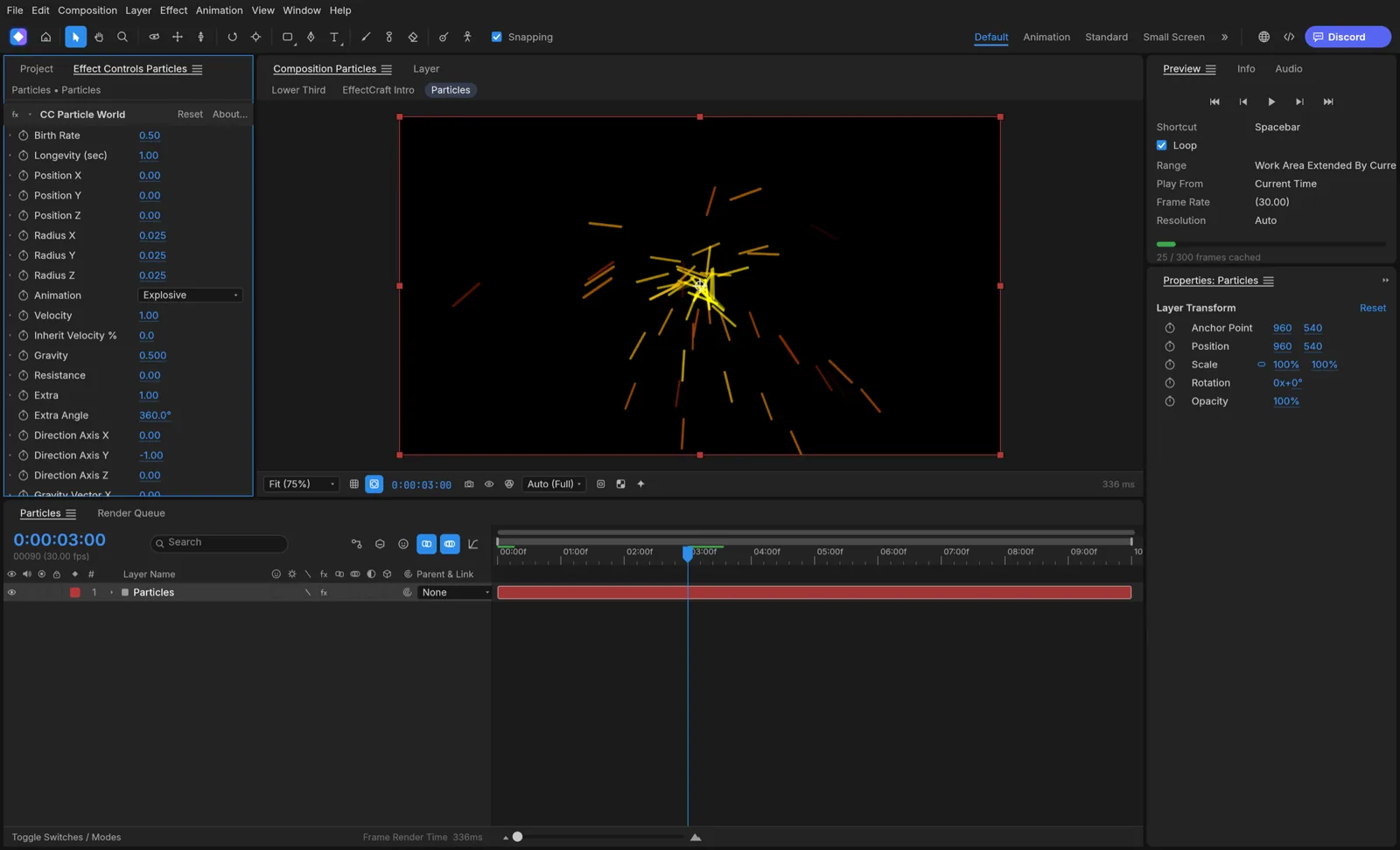
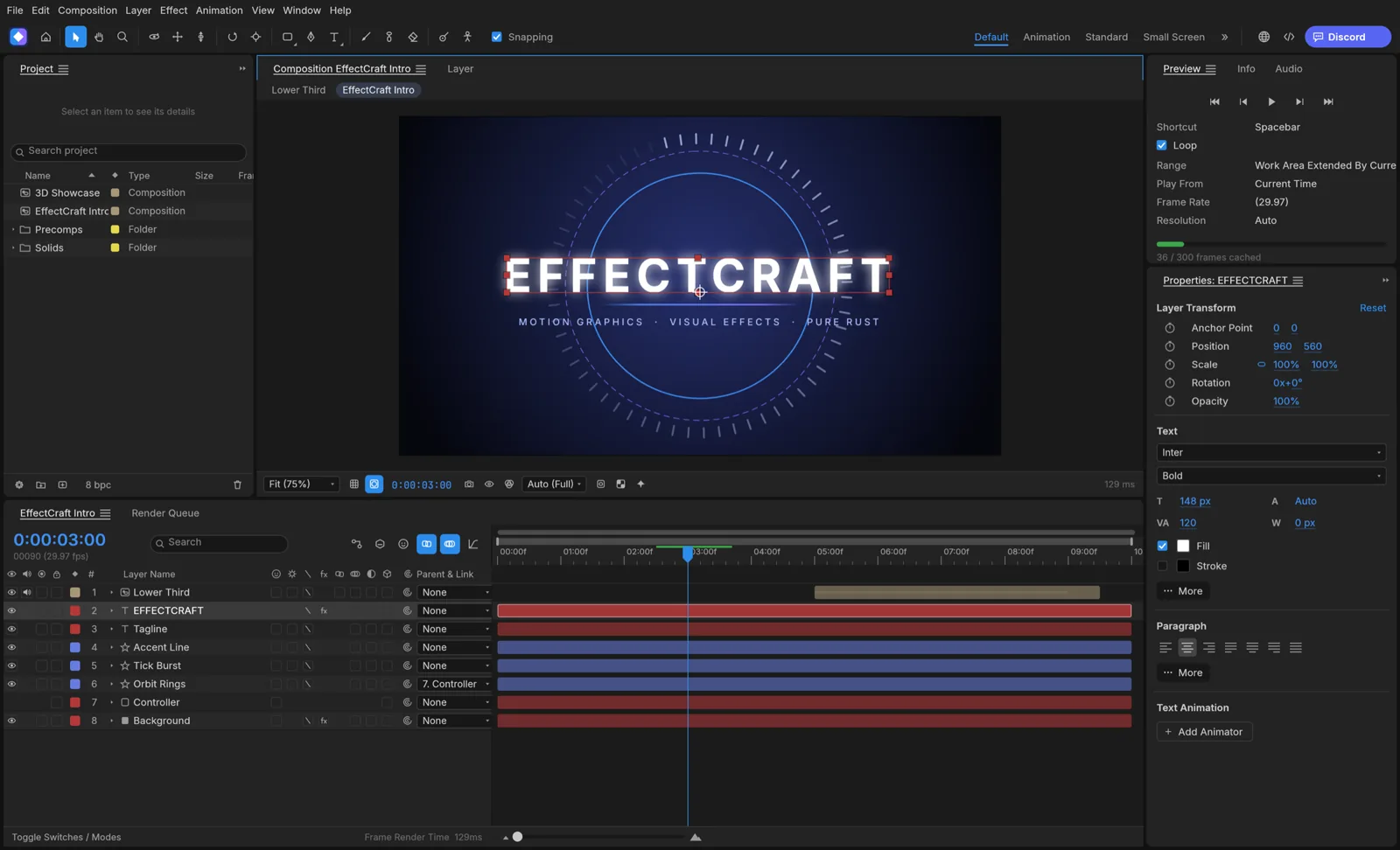
Stack effects on layers and combine text, shapes or footage inside a composition. Check each effect in your project.
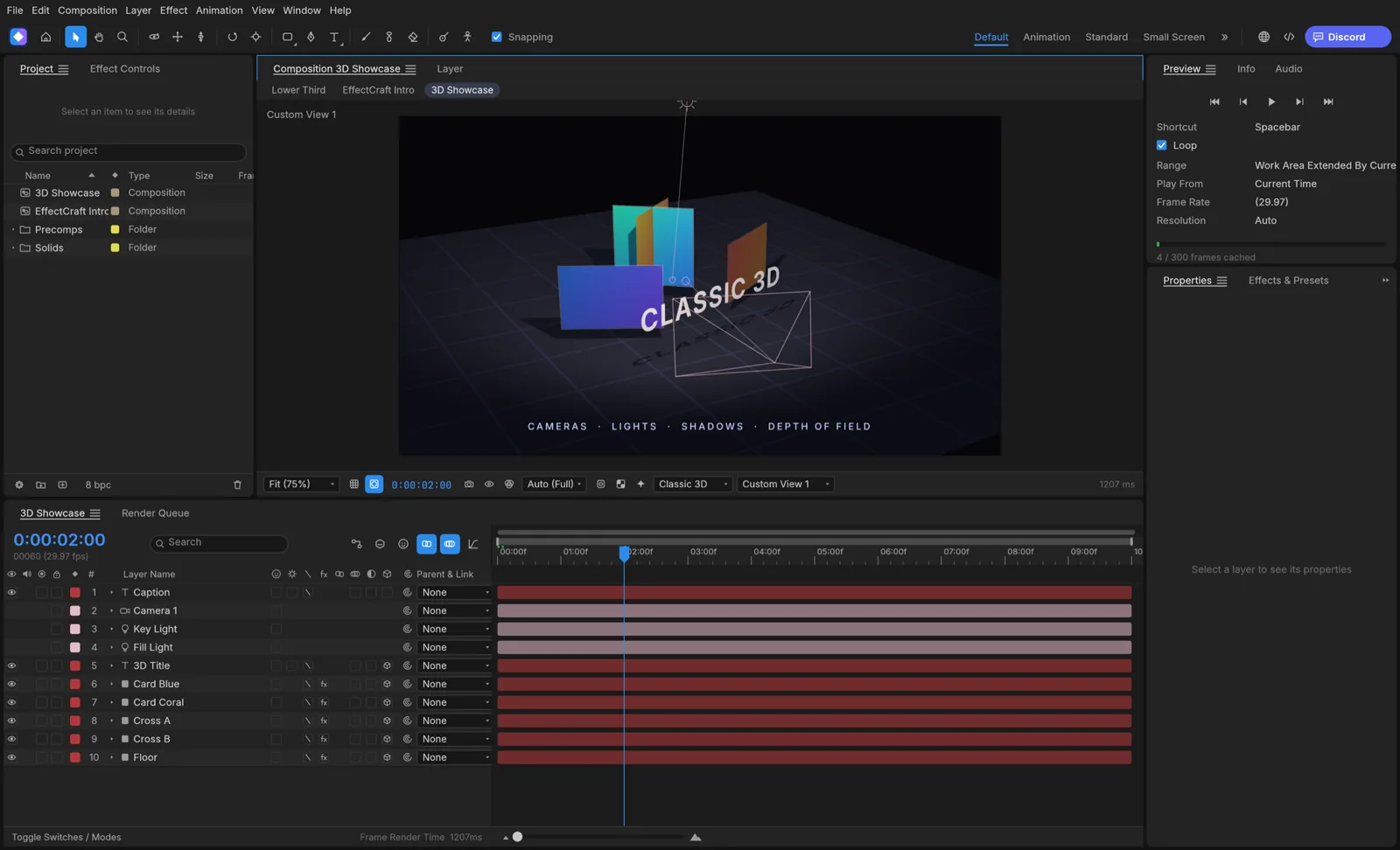
Use cameras, lights and 3D layers for depth and lighting. Begin with a small scene before complex handoffs.
Images: official EffectCraft project screenshots.
GOAL Make a short title move across a composition, save an editable EffectCraft project, and render a preview.
Start a new project, add a composition and choose a short duration.
A blank composition is visible in the viewer and timeline.
Add a text layer and type a short title. Keep this first scene simple.
The title appears in the viewer and as a separate timeline layer.
Set the first Position keyframe, move the playhead later and change the title's position.
Two Position keyframes are visible in the timeline.
Preview the movement; save an editable working copy as .ecproj.
The title moves and the project file exists.
Use Render Queue to create an MP4 copy, then open it in a video player.
The file plays with the intended movement; .ecproj remains editable.
A delivery video and an editable motion project are different files. EffectCraft does not open After Effects .aep/.aepx projects.
| File / output | What to expect | Workflow check |
|---|---|---|
| .ecproj | Editable EffectCraft project | Reopen a saved copy; confirm layers and footage links |
| .aep / .aepx | After Effects native projects; EffectCraft cannot open them | Keep the Adobe originals in After Effects |
| Lottie JSON / .lottie | Import and export documented | Check effects and expressions in the target player |
| MP4 / MOV / WebM | Render Queue delivery formats | Play the file; inspect size, sound, duration and alpha |
| PNG / TIFF / EXR | Frame-based sequence outputs | Check frame count, order and storage |
A rendered video is a delivery file, not an editable After Effects project. Save the .ecproj working file separately; EffectCraft does not import .aep/.aepx.