 Craft Apps Guide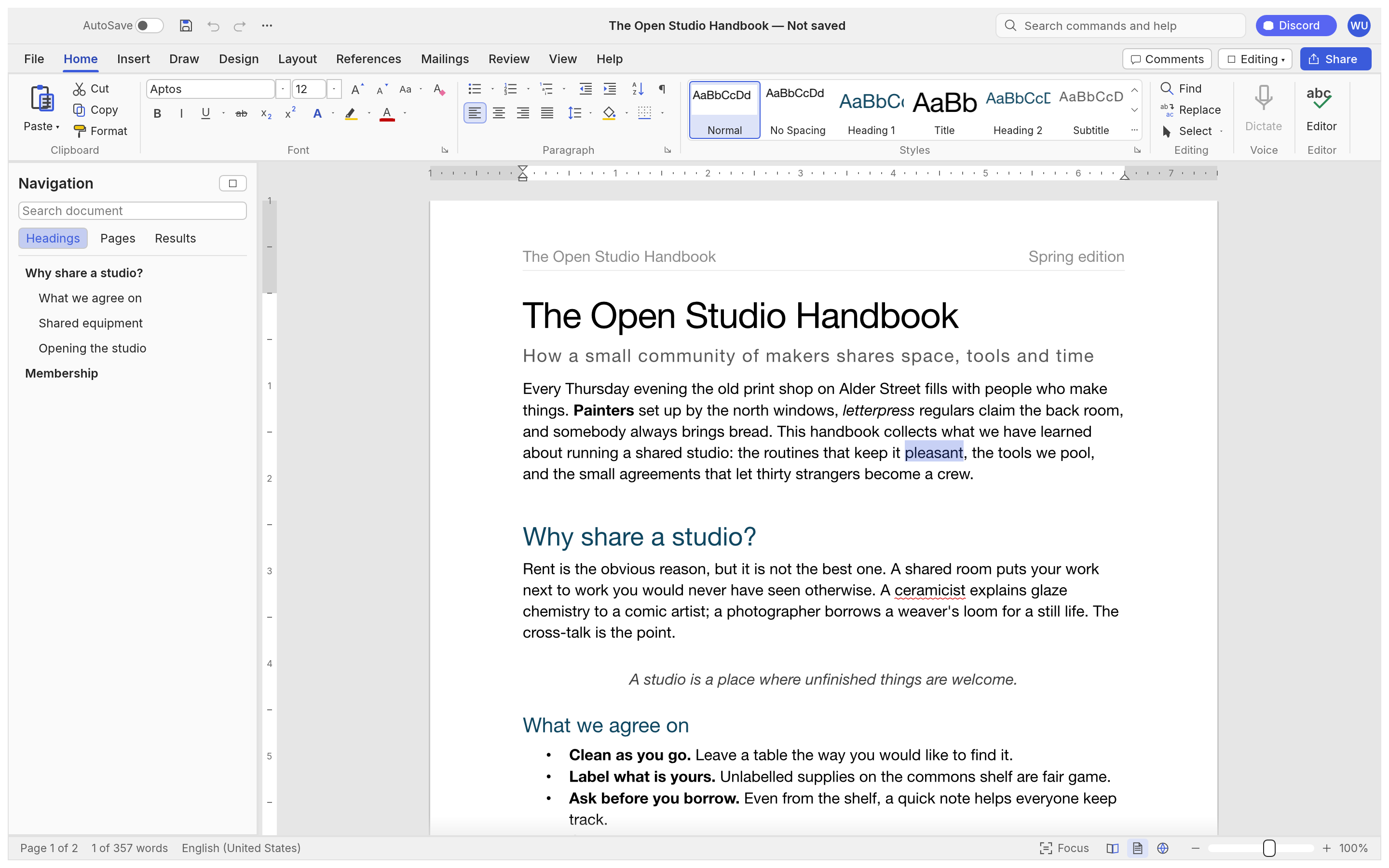
Style a Document
Use the ribbon and styles gallery for headings and body copy.
WordCraft is ArtCraft's free, open-source word processor. It offers familiar editing, styles, tables and review tools, and reads and writes DOCX files. Check complex layouts and tracked changes in an exchanged copy before relying on them.
Free · Open Source · In Development
Official project screenshot
| What matters | WordCraft | Microsoft Word |
|---|---|---|
| Cost | Free and open source | Paid Microsoft plan or licence |
| Platforms | Desktop and web builds documented | Desktop and web products |
| DOCX files | Reads and writes .docx | Native Word format |
| Styles & tables | Document styles and tables documented | Established document tools |
| Review tools | Track changes and comments documented | Mature collaboration workflow |
| Complex layouts | Check exchanged documents in Word | Native layout workflow |
| Development stage | In development | Established product |
Before handing off a DOCX file, review fonts, layout, tables and tracked changes in the receiving editor. Keep the original and edit a copy.
Use the ribbon and styles gallery for headings and body copy.
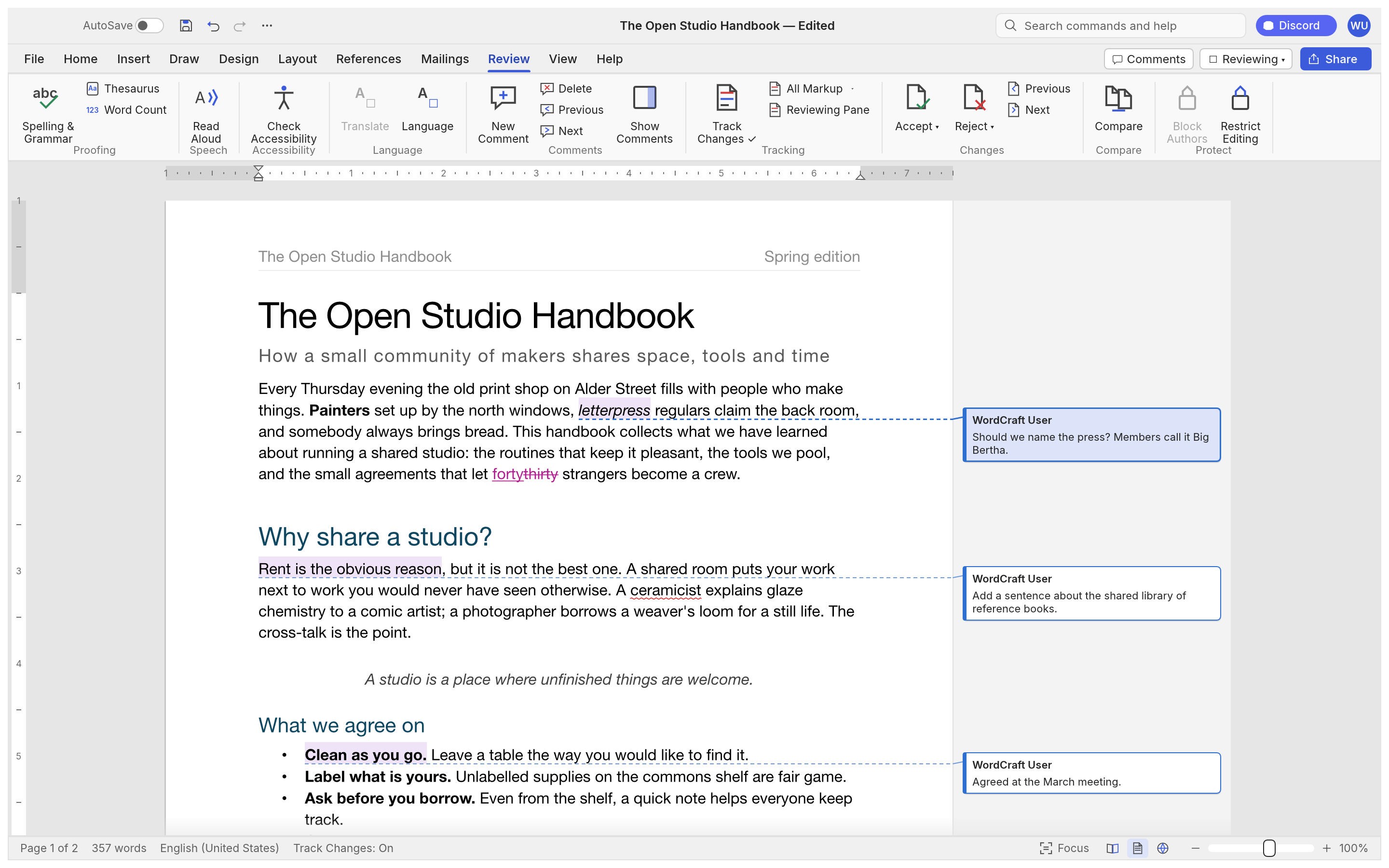
Inspect comments and tracked edits in a document.
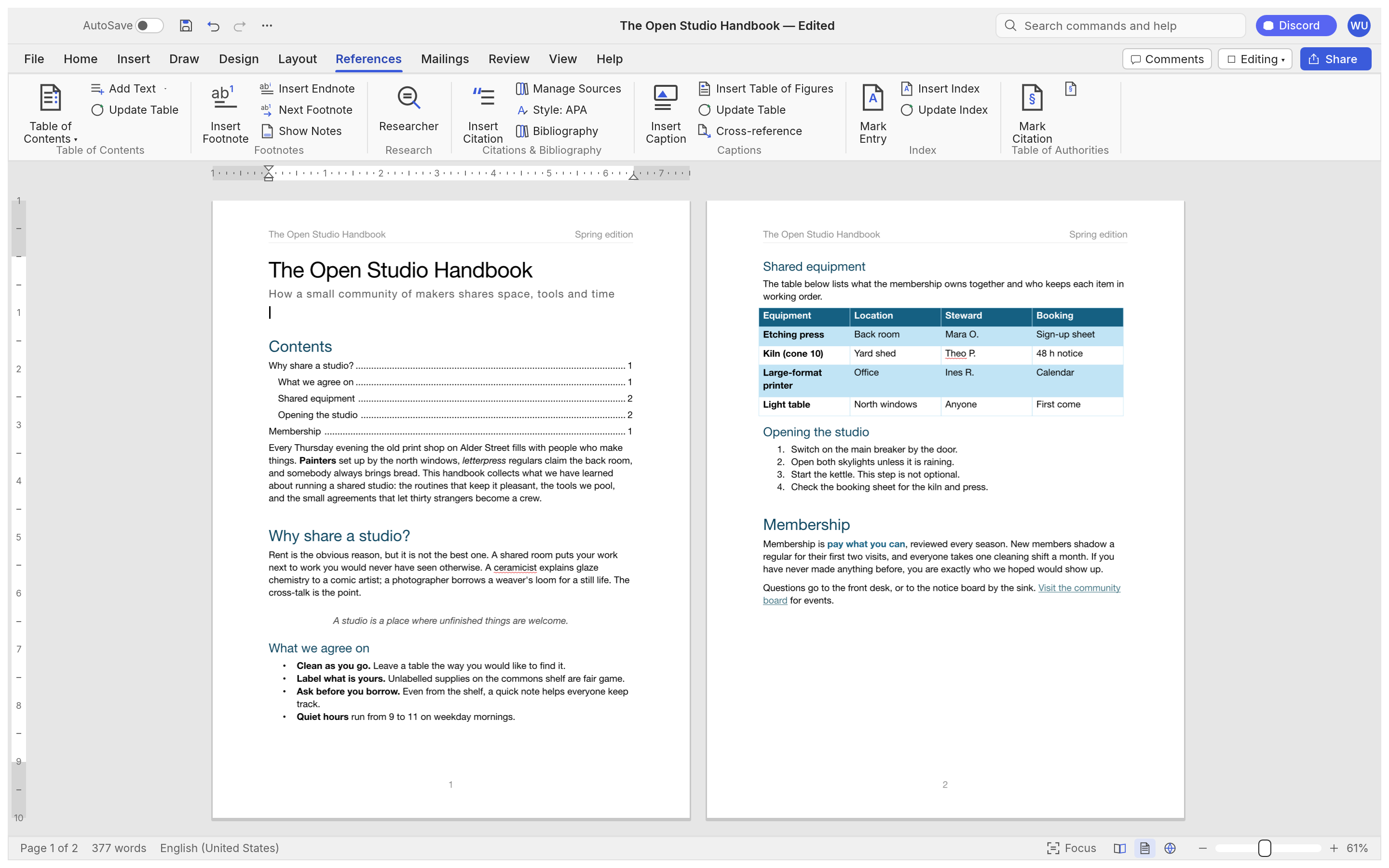
Organize a longer document with references and a table of contents.
GOAL Write a short document with a title, two sections and a table; save a DOCX copy.
Open WordCraft and create a new document.
A blank page is ready for text.
Add a title, headings and short paragraphs.
The document has a clear hierarchy.
Use the Styles gallery for the title and headings.
Headings share consistent formatting.
Add a small two-column table and enter sample data.
The table stays aligned within the page.
Save as .docx and reopen the copy.
Text, styles and table remain intact.
| Document area | What to check |
|---|---|
| Fonts | Check substitutions and line breaks |
| Page layout | Review margins, page breaks and headers |
| Tables | Check widths, borders and alignment |
| Comments & changes | Review authoring and tracked edits |
| Round trip | Open the exchanged file in Word |
Keep the original file. Check fonts and line breaks, margins and page breaks, tables, comments and tracked changes; open the exchanged file in Word.
Use the official release page and check a saved copy before changing an important workflow.