 Craft Apps Guide
Open the layered copy
Duplicate a legal PSD with the features you use; open it in each target app.
CHECK
Expected layer names and types appear.
Both apps completed a basic photo task in our native command-line tests. The layered PSD handoff exposed a useful limit: PhotoCraft text and adjustment layers became ordinary pixel layers in GIMP 3.2.6. Choose by the editable result you must preserve, not by whether a PSD merely opens.
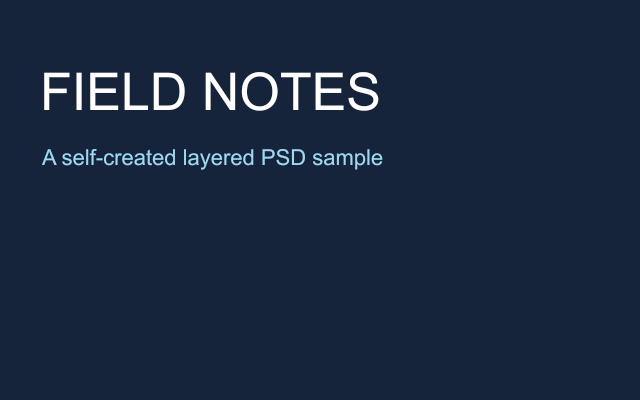
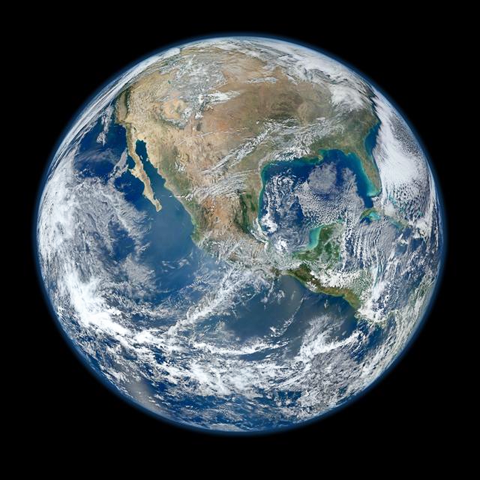
Tests on 20 October 2026 used official PhotoCraft CLI 0.10.0 and official GIMP console 3.2.6 on macOS 27.0.1 Apple Silicon. Both applications ran their own native engines without a GUI. The original poster is self-created, 640×400 px, with a background and two text layers. The photo input is NASA PIA18033 (NASA/NOAA credit). Actual exported images were visually checked.
The GIMP installer came through a vendor-listed official mirror and matched the SHA-256 on gimp.org. Headless GIMP loaded the same PhotoCraft PSDs, saved XCF/PNG/PSD copies and reopened them. PhotoCraft then reopened the GIMP-exported PSDs. These are real cross-application results, not a comparison inferred from format documentation.
| Task | PhotoCraft 0.10.0 result | GIMP 3.2.6 result / decision |
|---|---|---|
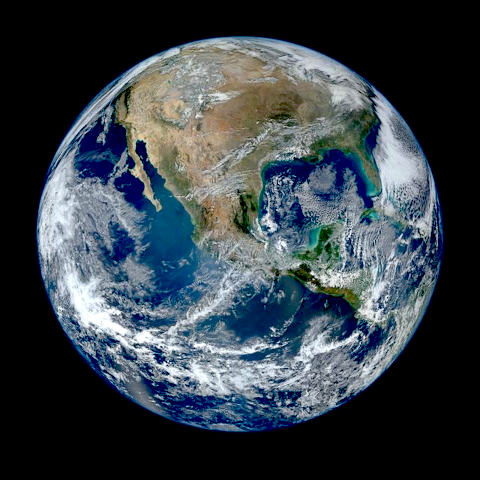
| Photo adjustment | NASA image resized to 480×480; brightness 10/contrast 15 retained as live PSD adjustment. | Same source resized to 480×480 and adjusted using GIMP API brightness 0.1/contrast 0.15; XCF and PNG saved. Parameter scales differ; this is task completion, not identical color output. |
| Layered PSD | Original adjustment PSD retained an adjustment layer on native reopen. | Same PSD opened and exported with 2 layers, but the adjustment became an ordinary pixel layer. Result differed visually; do not rely on the live adjustment surviving. |
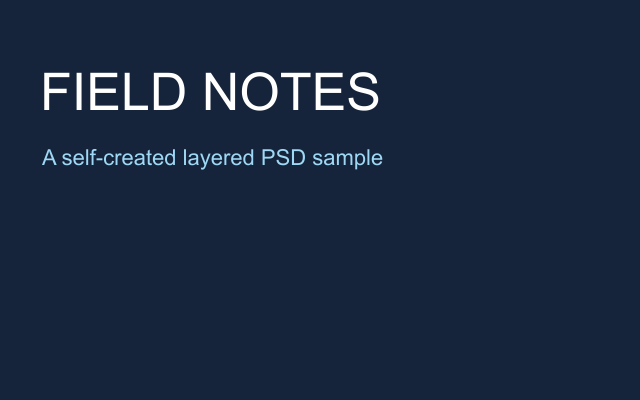
| Text poster | Original PSD retained 2 Type layers with Arial text on native reopen. | Same PSD retained 3 named layers but neither text layer was a Gimp.TextLayer. PhotoCraft reopened GIMP-exported PSD as 3 Pixel layers; editable text was lost. |
| Flat export | PNG exported with a layer-flattening warning. | Poster PNG and PSD exported; GIMP PNG and PhotoCraft render of GIMP PSD were pixel-identical. Original PhotoCraft and GIMP poster renders were not pixel-identical. |
Duplicate a legal PSD with the features you use; open it in each target app.
Expected layer names and types appear.
If this fails: A correct composite alone does not prove masks, text or adjustments remain editable.
Keep: source.psd
Change one word and one numerical adjustment; keep a preview of the expected result.
Both edits remain editable after save and reopen.
If this fails: Record rasterized text or unsupported adjustments as losses.
Keep: edited layered file
Save a different filename, open it in the other app and compare.
Geometry, text and layers agree with the reference.
If this fails: Keep the original when PSD import or export changes behavior.
Keep: handoff.psd + preview.png
PhotoCraft’s official README distinguishes model-level PSD roundtrip results from byte-identical parsing by its standalone PSD crate. Repository corpus results do not guarantee that your files will behave the same way. Our paired test shows why: a poster can still look right after text editability has been lost.
For this poster, PhotoCraft retained its own editable Type layers. GIMP imported those text layers as pixels; saving XCF preserved that imported raster state, not the missing text semantics. Keep the original PhotoCraft file if later wording changes matter. This finding applies to these files and versions, not every PSD or every GIMP text workflow.
For the adjustment PSD, the original PhotoCraft and GIMP-rendered results differed (mean absolute RGB differences about 4.3–5.4 levels on an 8-bit scale). That is an observed discrepancy, not a diagnosis of which application is correct. Neither Photoshop reopen nor complex masks, smart objects, effects or color-managed printing was tested.
Official sources checked 20 October 2026. Test results are limited to the versions, environment and files stated above.