 Craft Apps Guide
FigCraft Online vs Desktop: Which Should You Use?
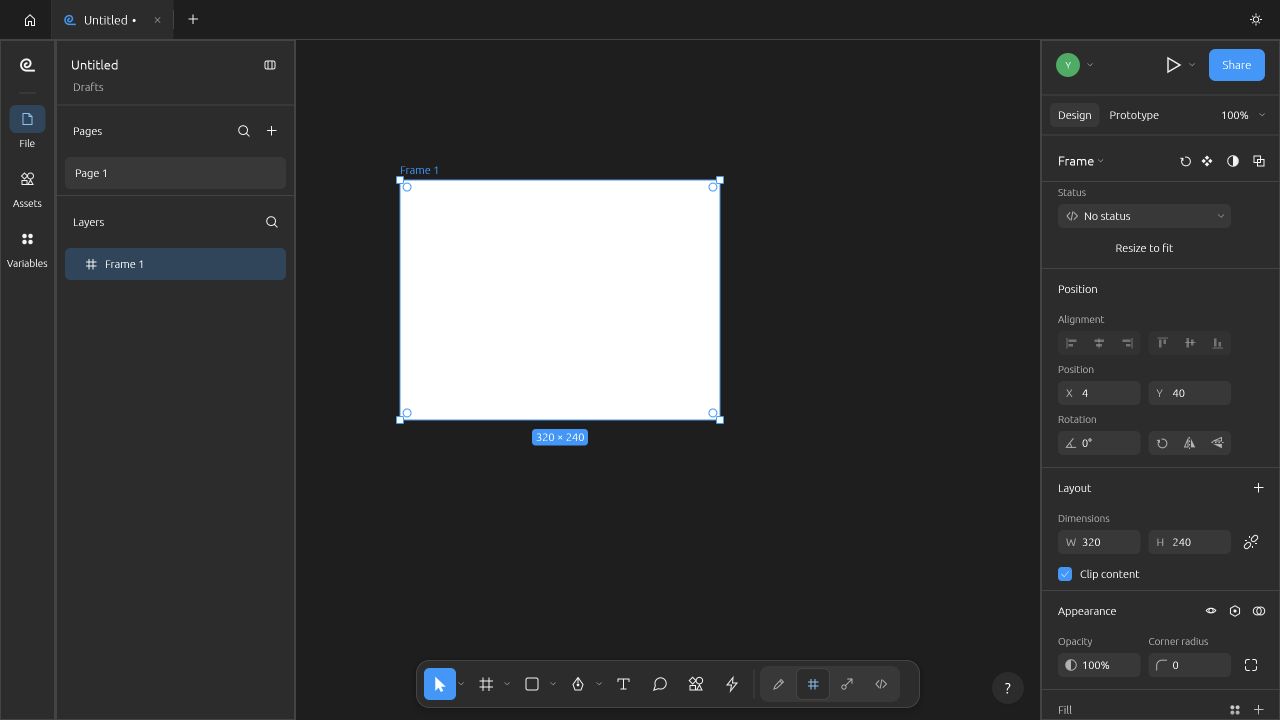
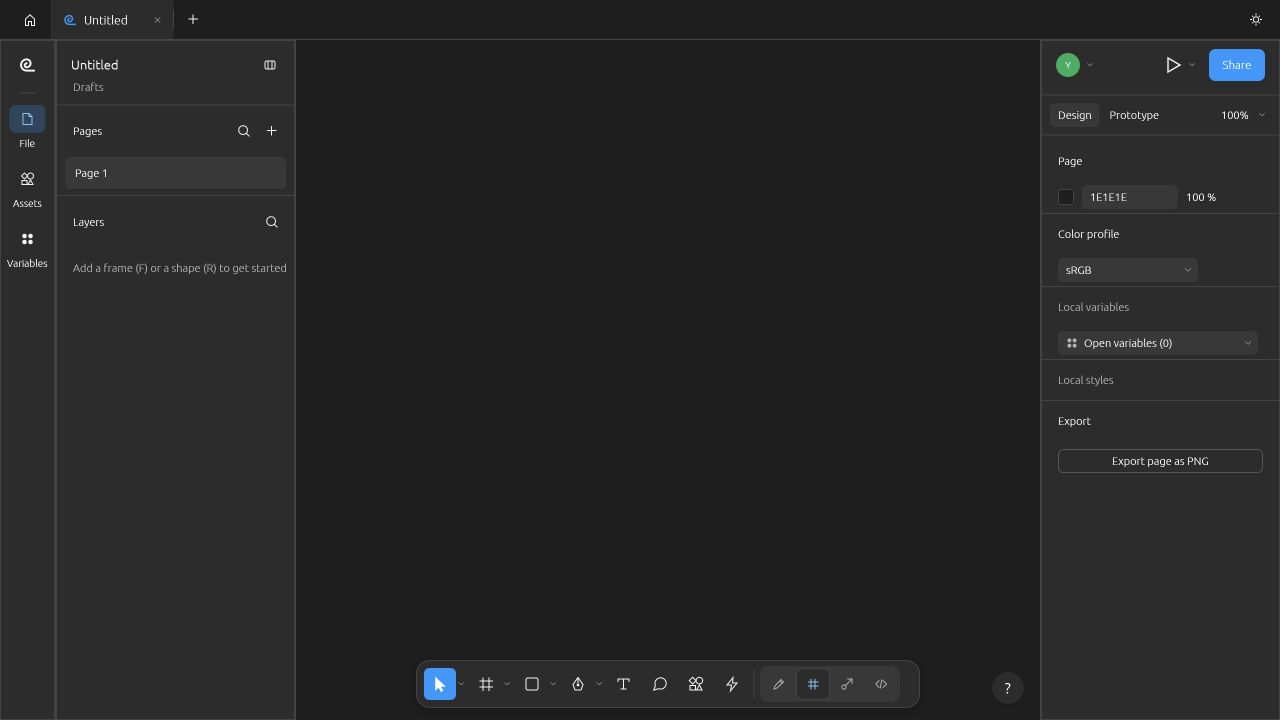
Use the desktop/native-file workflow when you need to retain a local project. In our official Web 0.7.0 test, a new frame remained unsaved after Cmd+S and disappeared on reload; do not assume browser and desktop saving are equivalent.
Where each build comes from
The official app page links desktop installers, a native CLI and a WebAssembly ZIP for self-hosting. The web ZIP is not a separate cloud document service. Our browser test used the unmodified official release served locally; the shipped HOSTING.md says native file dialogs are not wired up yet.
Observed saving behavior
| Task | Observed result | Boundary / next check |
|---|---|---|
| New project | Browser: drew a 320×240 frame. Native: created four-card project. | Different minimal samples; same-file parity could not be established. |
| Save | Browser: Cmd+S left dirty marker; no visible file/download. Native CLI wrote .figcraft. | Do not close a browser project without a verified saved artifact. |
| Reopen | Browser reload returned blank layers. Native file reopened and rendered. | Browser persistence failed in this environment. |
| Import / export | Native .fig conversion and PNG rendering completed. | Browser local-file import/export not passed; native dialogs documented unavailable. |
Browser evidence
Choose a workflow you can recover
For a quick interface trial, the web build avoids installing the desktop app. Before real work, create one expendable object, save, locate the resulting file and reopen it. If that loop does not work, switch to desktop. For offline work and file exchange, retain a native .figcraft master plus a separate export. Live-session joining is documented for web, but it was not tested here.
Sources & Evidence
Official sources checked 20 October 2026. Test results are limited to the versions, environment and files stated above.
- FigCraft source and alpha limitations ↗ — Official documentation checked 20 October 2026; capabilities are documentation claims unless separately marked tested.
- FigCraft CLI reference ↗ — Official documentation checked 20 October 2026; capabilities are documentation claims unless separately marked tested.
- Shipped web build and HOSTING.md ↗ — Official documentation checked 20 October 2026; capabilities are documentation claims unless separately marked tested.